
Creating an account is the first step for new users who want to access the game dashboard, explore available categories, and manage their profile. The 666D Register process is designed to be completed through a mobile phone, but users should enter their information carefully to avoid verification or login problems later.
Before starting, keep an active Pakistani mobile number ready. Use a number that belongs to you because it may be required for password recovery, account confirmation, or future security checks. You should also complete registration on a personal device instead of a shared phone.
Things to Check Before 666D APK Registration
A few preparations can make the 666D Game Register process easier:
- Use a stable mobile-data or Wi-Fi connection.
- Keep access to your active SIM.
- Create a password that is different from your banking passwords.
- Confirm that you are using the correct registration page.
- Avoid accepting assistance from unknown social-media agents.
Do not use a temporary phone number. Losing access to the registered SIM may make account recovery more difficult.
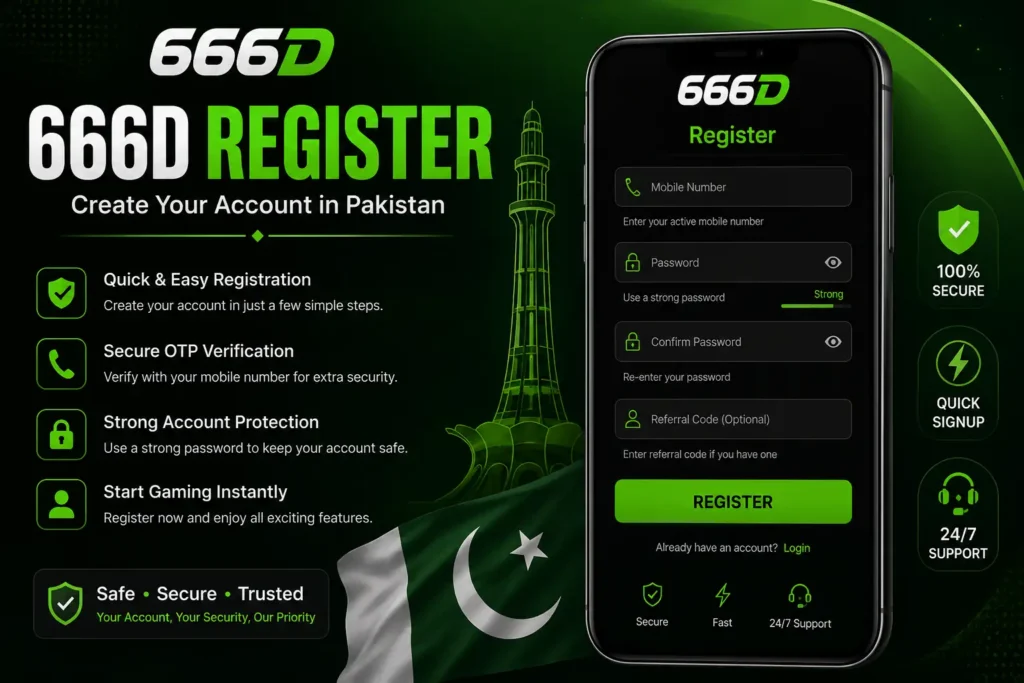
How to Complete 666D Register.
- Open the latest 666D Register APP or trusted registration page and select the Register or Sign Up button.
- Enter your active mobile number in the required field. Check every digit before moving forward. Some versions may ask users to enter the number in local format, while others may display a country-code option.
- Create a secure password. A good password should contain letters, numbers, and at least one special character. Avoid using your name, birthday, CNIC number, or simple combinations such as
12345678. - Confirm the password by entering it again. If the form includes an invitation or referral-code field, check whether it is optional. Do not purchase a referral code from an unknown person.
- Where mobile verification is required, request the OTP and enter it only inside the registration screen. Once the details are accepted, press Register to create the account.
What to Do After Creating the Account
After completing the 666D Game Register, sign in using the same mobile number and password. Spend a few minutes exploring the dashboard before adding any balance.
Review the following areas:
- Profile information
- Account-security settings
- Wallet section
- Transaction history
- Promotion rules
- Support options
Ensure that the account name and mobile number are correct. Where payment accounts may later be connected, matching information can reduce confusion during account checks.
Do not claim a bonus only because the displayed amount looks attractive. Read its minimum-deposit requirement, eligible games, expiry period and withdrawal conditions first.
Common Registration Problems
OTP Is Not Received
Check the mobile signal and confirm that the number was entered correctly. Wait before requesting another OTP because repeated requests may temporarily delay delivery.
Number Is Already Registered
Your mobile number may already be linked to an existing profile. Use the login or password-recovery option instead of creating another account.
Password Is Rejected
The password may be too short or missing a required number, letter, or symbol. Create a stronger combination and avoid spaces.
Register Button Does Not Respond
Close and reopen the page, switch between mobile data and Wi-Fi, clear the browser cache, or restart the device. Also confirm that every required field has been completed.
Referral Code Is Invalid
The code may be typed incorrectly, expired,d or restricted. If the referral field is optional, leave it empty instead of repeatedly submitting an unknown code.
Protecting Your New Account
Never share your password or OTP with another person. Verified support should not need your JazzCash PIN, Easypaisa PIN, banking password or one-time verification code.
Avoid anyone who asks you to install AnyDesk, TeamViewer or another remote-control application. Such access can expose your messages, wallet apps and personal information.
Keep the registered SIM secure and change the password if you notice an unfamiliar login or transaction.
Conclusion
The 666D Register process can be completed smoothly when users provide an active number, create a strong password, and complete any required verification carefully. Avoid rushing directly into deposits after opening the account.
A secure 666D Game Register setup begins with accurate details, a protected SIM, and private login information. Taking these precautions at the start can reduce future access, verification, and payment-related problems.
Frequently Asked Questions
Is creating a 666D Register account free?
Registration itself may be offered without a fee. Adding money or entering paid games is a separate choice.
Can I register without a referral code?
When the referral field is optional, users can normally continue without entering a code.
Can one mobile number create several accounts on D666 Game?
Using one number for one account is safer and can help avoid verification or promotional problems.
Should I deposit immediately after registration?
No. First, review the games, payment rules, withdrawal conditions, and account-security options.
Can I register from another person’s phone?
It may be possible to register on 666D Download, but using your own protected device is safer for passwords and future access.
What should I do if registration repeatedly fails?
Check the number, password format, internet connection, and current 666D version before contacting verified support.